The mirror, reinvented.
Shoppers try on glasses, sunglasses, hats and jewelry live through their phone or laptop camera. No app, no fitting room, no second-guessing.
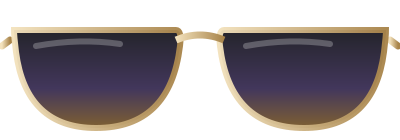
Fit is personal. Photos aren't.
A model wearing your frames tells shoppers how they look on someone else. What they really want to know is how they look on them.
Shoppers hesitate when they cannot see the fit.
Ordering several to keep one drives up returns.
Accessories are bought on feeling, and photos rarely deliver it.
In-store try-on does not translate online.
Everything a great fitting room does.
And a few things it never could.
Live camera try-on
Products follow the shopper's face as they turn, tilt and smile.
Works in the browser
On phones and laptops, with nothing to install.
Made for accessories
Glasses, sunglasses, hats, earrings, necklaces and more.
Try it on button
Add it to any product page with one line of code.
Snap and share
Shoppers capture their look and send it to friends for a second opinion.
Try-on analytics
See try-ons, clicks, conversions and attributed revenue per product.
Try ten frames in ten seconds.
Shoppers swipe through styles and colors on their own face, live. The right one feels obvious.
- Live tracking as the shopper moves
- Swap colors and styles instantly
- Capture a photo to share
- Camera use with clear consent
How it feels.
Tap Try it on
Right from the product page, link or QR code.
See yourself
The camera opens and the product appears, live.
Choose with confidence
Swap styles, snap a photo, add to cart.
Made for what people wear.
From everyday essentials to fine jewelry.
Optical eyewear
Help shoppers find the frame shape that suits them.
Sunglasses
Let shoppers compare lens colors and silhouettes live.
Hats and headwear
From caps to fedoras, see the fit instantly.
Fine jewelry
Try earrings and necklaces with true-to-life sparkle.
Fashion accessories
Bring seasonal collections to life on every shopper.
Creator merch
Let fans try the drop before it sells out.
Respectful of every face.
Trying on should feel delightful and safe.
Consent first
The camera only opens when the shopper says yes.
In the moment
Try-ons happen live in the shopper's browser.
Encrypted
Data is encrypted in transit and at rest.
Always on
Your try-ons are live around the clock.
Good questions.
Everything people ask about MXR Virtual Try-On.
Do shoppers need to install an app?+
No. Virtual Try-On runs in the browser on phones and laptops.
What products work with Virtual Try-On?+
Glasses, sunglasses, hats, earrings, necklaces and other accessories worn on or near the face.
How do I add it to my store?+
Add the Try it on button with one line of code on Shopify, WooCommerce, BigCommerce, Wix, Squarespace or a custom site.
Is the shopper's camera private?+
The camera opens only with the shopper's permission, and the try-on happens live in their browser.
Can I measure the impact?+
Yes. Analytics show try-ons, clicks, conversions and attributed revenue for each product.
Let every shopper see themselves in it.
Start free and launch your first try-on today.
Free forever plan · No card required · Live in minutes